
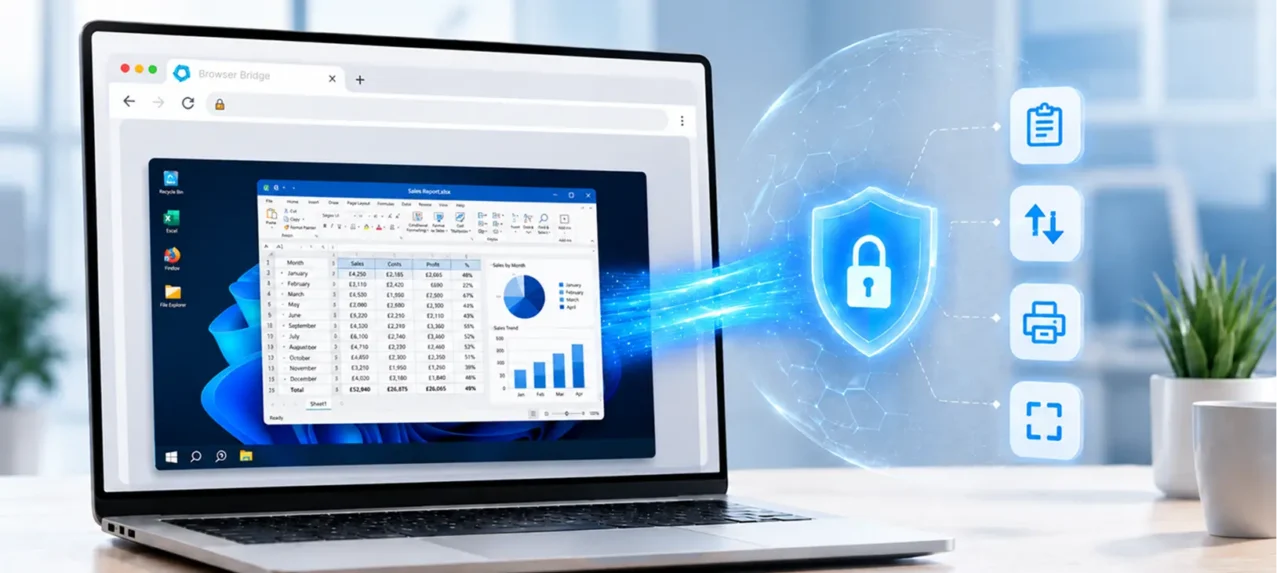
The browser has become the center of the modern workplace.
Employees use it to access SaaS applications, collaborate, manage business data, and complete everyday workflows. Chrome Enterprise Premium (CEP) strengthens this model with real-time threat protection, Advanced Data Loss Prevention (DLP), context-aware access, granular policy controls, and enterprise visibility.
However, many organizations still depend on virtualized desktops and applications for business-critical systems, specialized workflows, and legacy Windows workloads.
As enterprises move toward a browser-first future, an important question emerges:
How can virtualized workloads become part of the browser-first workplace while maintaining consistent data protection?
That is the opportunity Browser Bridge was built to address.
Two Priorities That Belong Together
Browser-first modernization simplifies how employees access applications. Enterprise DLP protects sensitive information as users interact with and move data.
Browser Bridge brings these priorities together.
Browser Bridge is a CEP-exclusive, browser-first virtualization solution that modernizes access to virtualized desktops and applications while extending CEP Advanced DLP protection into those workloads.
The result is a connected approach to access, data protection, policy management, and session visibility.
The Modern Workplace Still Depends on Virtualized Workloads
The shift toward SaaS has transformed enterprise technology, but virtualized workloads remain essential.
Healthcare, financial services, and other industries continue to rely on centrally delivered applications and specialized Windows systems.
Employees move between web, SaaS, and virtualized environments throughout the same workday. To the user, this is one connected workflow. From a security perspective, however, these environments may operate within different policy contexts.
As the browser becomes the primary enterprise workspace, organizations need a more connected approach.
Browser Access Alone Is Not the Complete Answer
Browser-based access to virtualized desktops and applications already exists.
However, displaying a virtualized workload inside a browser does not automatically create a complete browser-first security experience.
Browser-first modernization should connect more than access. It should bring together data protection, policy management, administrative visibility, and the user journey.
Browser Bridge provides a connective layer between the CEP browser experience and virtualized workloads – from resource launch through the broader session experience.
The DLP Boundary Between the Browser and the Virtualized Session
Data does not become less sensitive when it moves into a virtualized desktop.
A customer record, financial report, or patient record still requires protection regardless of where it is accessed.
The data has not changed. The organization’s policies and compliance responsibilities have not changed. Only the working environment has changed.
Inside virtualized sessions, users may copy information, transfer files, capture screens, or print documents. These are essential workplace activities, but they are also points where sensitive information can move beyond its intended boundaries.
The opportunity is to maintain a consistent, CEP-aligned data protection model as work moves between browser and virtualized environments.
Extending CEP Advanced DLP into Virtualized Workloads
Browser Bridge extends the value of Chrome Enterprise Premium beyond web and SaaS applications and into supported virtualized workloads.
Rather than introducing a separate security model, Browser Bridge builds on the CEP foundation organizations already use.
CEP Advanced DLP protection can extend across supported virtualized session activities, including:
- Clipboard activity
- File uploads and downloads
- Screen capture and screenshot activity
- Printing workflows
This helps organizations maintain aligned data protection as employees move between browser-based applications and virtualized environments.
More Than DLP: A Browser-First Virtualization Experience
Advanced DLP is a core Browser Bridge capability, but the solution extends beyond data protection.
Browser Bridge modernizes access by bringing virtualized desktops and applications into a connected CEP browser experience.
The browser becomes a more unified access layer across web applications, SaaS platforms, virtualized desktops, virtualized applications, and legacy Windows workloads.
Browser-first modernization is not simply about displaying virtualization in a browser tab. It is about connecting access, security, policy, and visibility through the browser experience.
One Connected Administrative Experience
Administrators may manage browser policies, virtualized resources, user access, DLP controls, and session activity across separate systems.
The Browser Bridge Admin Panel brings these areas into a more connected administrative experience, providing visibility into:
- CEP policies and user access
- Virtualized resources and assignments
- Browser Bridge DLP controls
- Virtualized session activity and relevant policy events
Browser Bridge does not replace existing management platforms. It provides a connective layer that brings CEP policy context, virtualized resource management, DLP controls, and session visibility closer together.
Visibility Across the Complete User Journey
Effective DLP requires both protection and visibility.
When a policy is triggered, security and compliance teams may need to understand what happened, where it occurred, which user and resource were involved, and how the policy responded.
Browser Bridge provides greater continuity from the moment a user accesses a virtualized resource through the browser to relevant DLP activity inside the session.
This supports clearer operational, security, and compliance visibility.
Supporting Security Without Disrupting Productivity
DLP should protect sensitive information without creating unnecessary barriers to work.
Different users, applications, and industries require different controls. For example, an organization may restrict clipboard and screen capture activity while allowing approved printing or authorized file transfers.
A flexible, policy-driven approach helps protect data without applying the same restrictions to every workflow.
Browser Bridge helps extend CEP Advanced DLP protection while continuing to support legitimate business activity.
One Browser-First Security Model Across More of the Enterprise
The modern workplace includes web applications, SaaS platforms, virtualized desktops, virtualized applications, and legacy Windows workloads.
Employees experience them as part of one connected workday.
Chrome Enterprise Premium provides a strong browser-native security foundation. Browser Bridge builds on that foundation by bringing browser-first modernization and extended data protection together for virtualized workloads.
The result is more than virtualization accessed through a browser.
It is browser-first virtualization supported by a more consistent approach to data protection, policy management, and session visibility.
Modernize Access. Extend Protection.
As enterprises move toward browser-first work, virtualized desktops and applications should become part of the broader browser security experience.
Browser Bridge helps make that connection possible.
Modernize access to virtualized workloads. Extend CEP Advanced DLP protection. Bring web, SaaS, and virtualized work together through a more connected browser-first experience.
Reach out for a demo. See how Browser Bridge can extend the value of Chrome Enterprise Premium across more of the modern workplace.